Backoffice Web
User Guide
This is the backoffice web for the Twitsnap project. It is a project that allows an administrator to manage the users and twits and collect metrics of the Twitsnap project.
As administrator, in the main page you will see the following options:
- Administrator Sing Up:
- Users
- Twits
- Metrics
Administrator Sing Up
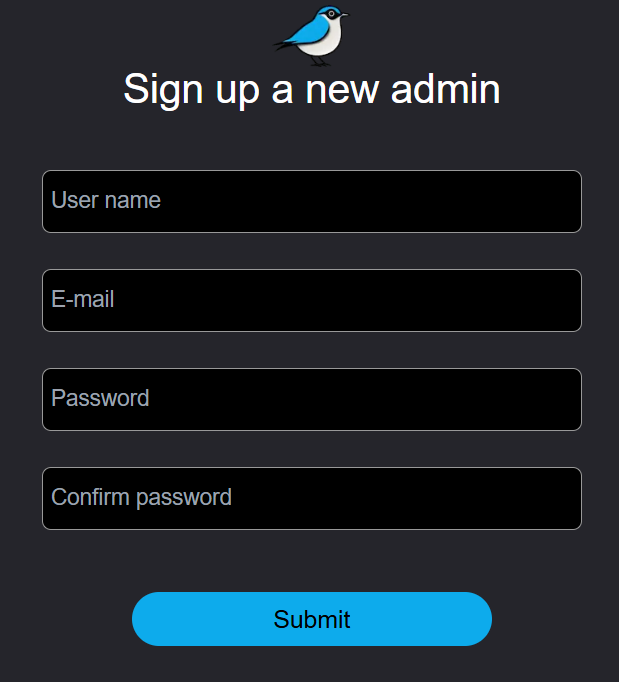
In this section you can register a new administrator. You must enter the following information:
- Name: Name of the administrator
- Email: Email of the administrator
- Password: Password of the administrator
- Confirm Password: Confirm the password of the administrator
- Register: Button to register the administrator
Users
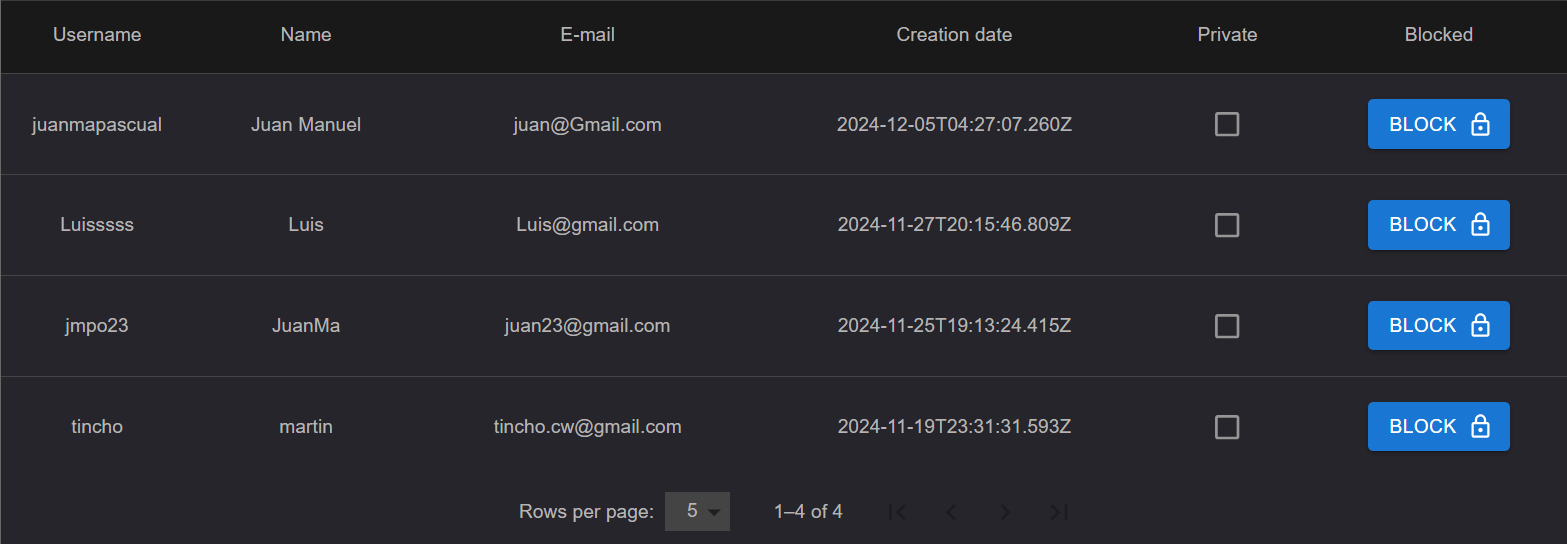
In this section you can see the list of users of the Twitsnap project. You can see the following information:
- Name: Name of the user
- Username: Username of the user
- Email: Email of the user
- Creation date: Date of creation of the user
- Private: If the user is private or not
- Block: If the user is blocked or not and the option to block or unblock the user
Clicking on the user you can see the complete information of the user.
Twits
In this section you can see the list of twits of the Twitsnap project. You can see the following information:
- Id: Id of the twit
- Username: Username of the user who made the twit
- Creation date: Date of creation of the twit
- Content: Content of the twit
- Block: If the twit is blocked or not and the option to block or unblock the twit
You also have the option to filter the twits by username, content and date.
Clicking on the twit you can see the complete information of the twit. And the while seeing the twit you can navigate to the user who made the twit cliking the profile picture.
Metrics
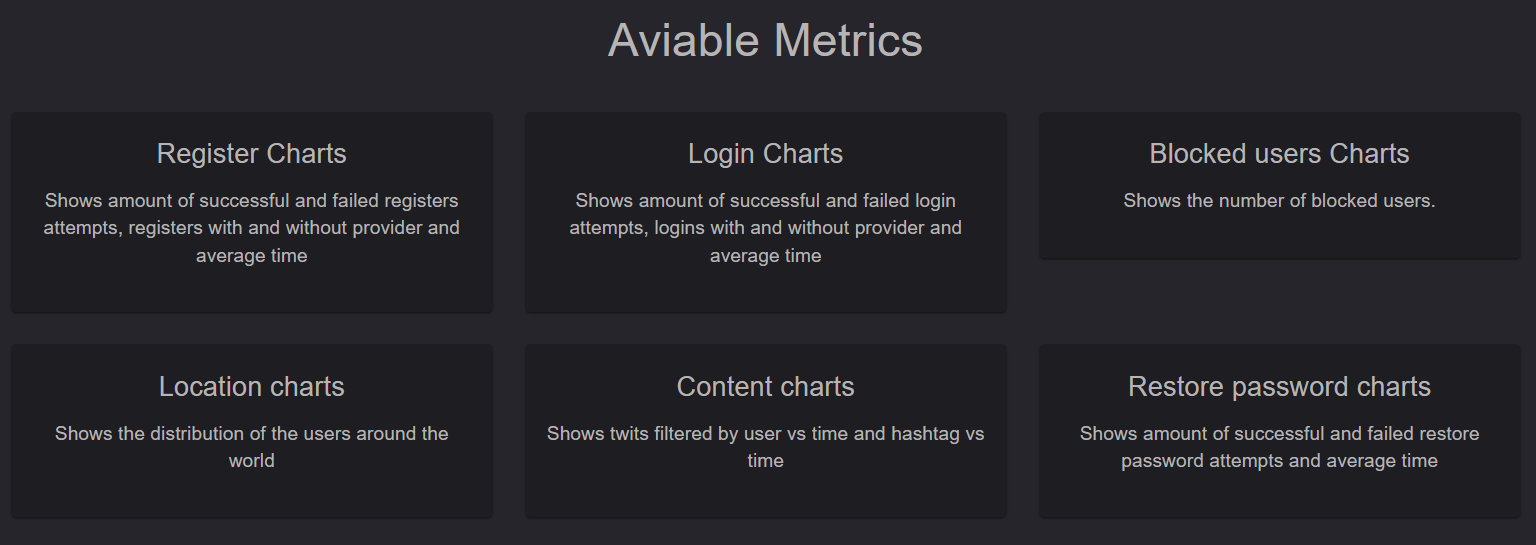
In this section you can see the metrics of the Twitsnap project. You can see the following information:
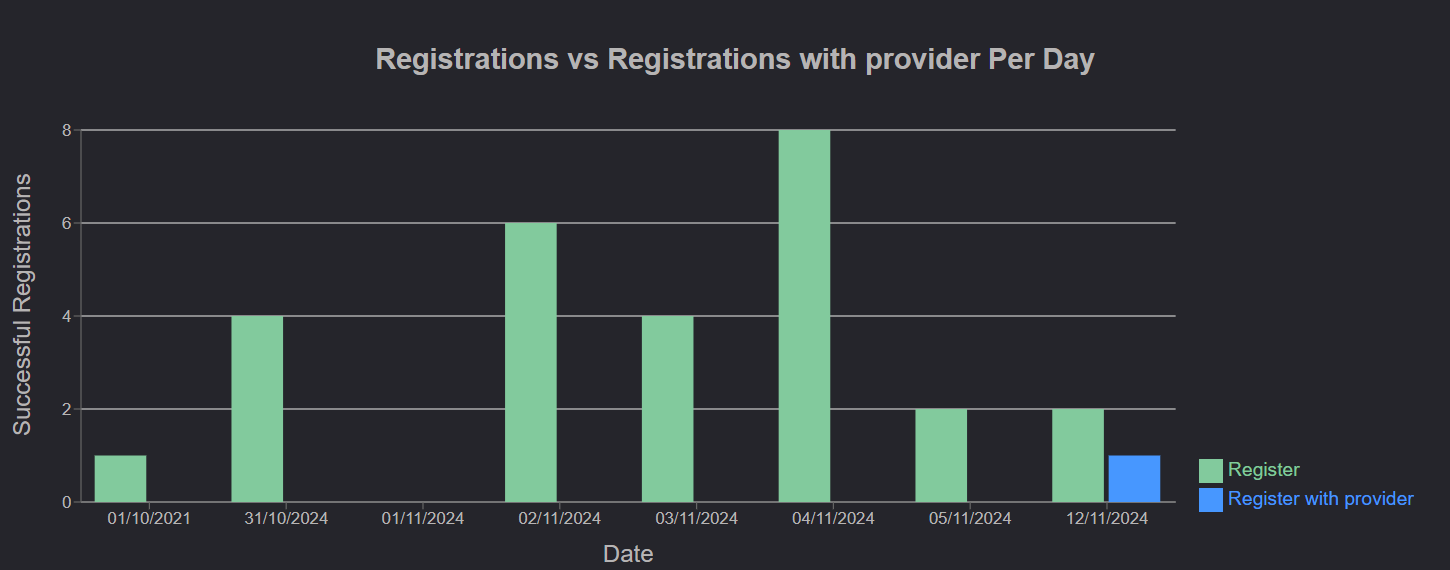
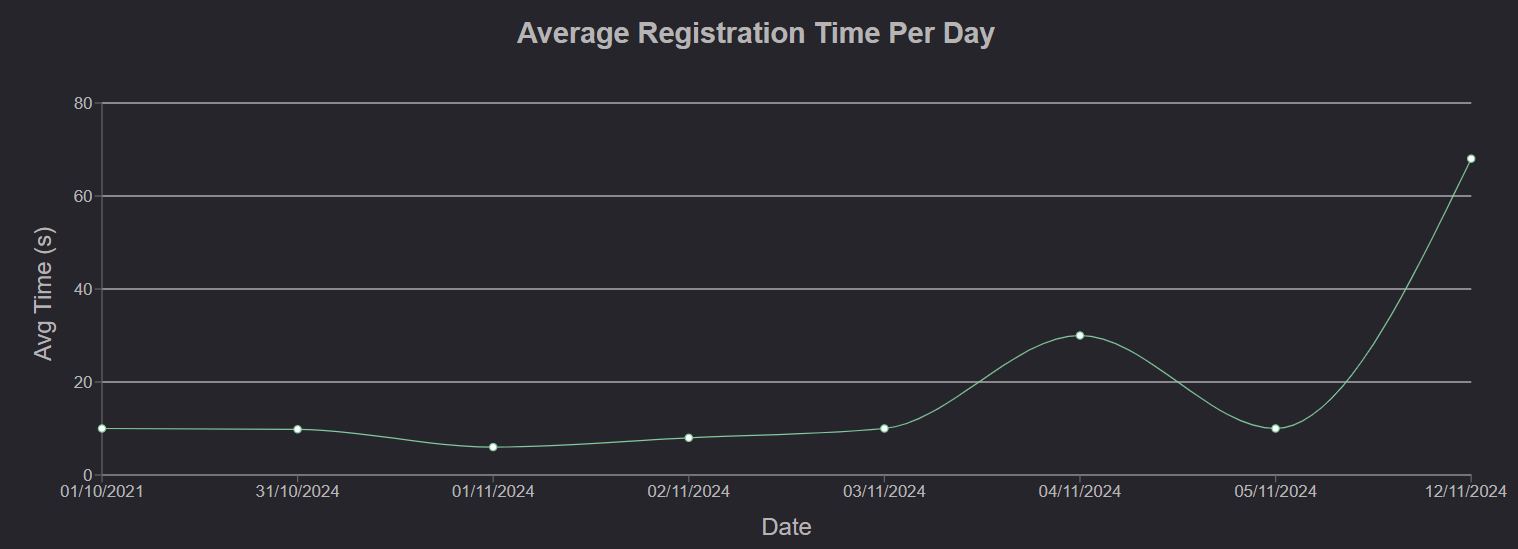
- Register Metrics: Shows the metrics of the registered users with and without provider, the average time of registration and the average time of registration and the amount of successful and failed registrations.
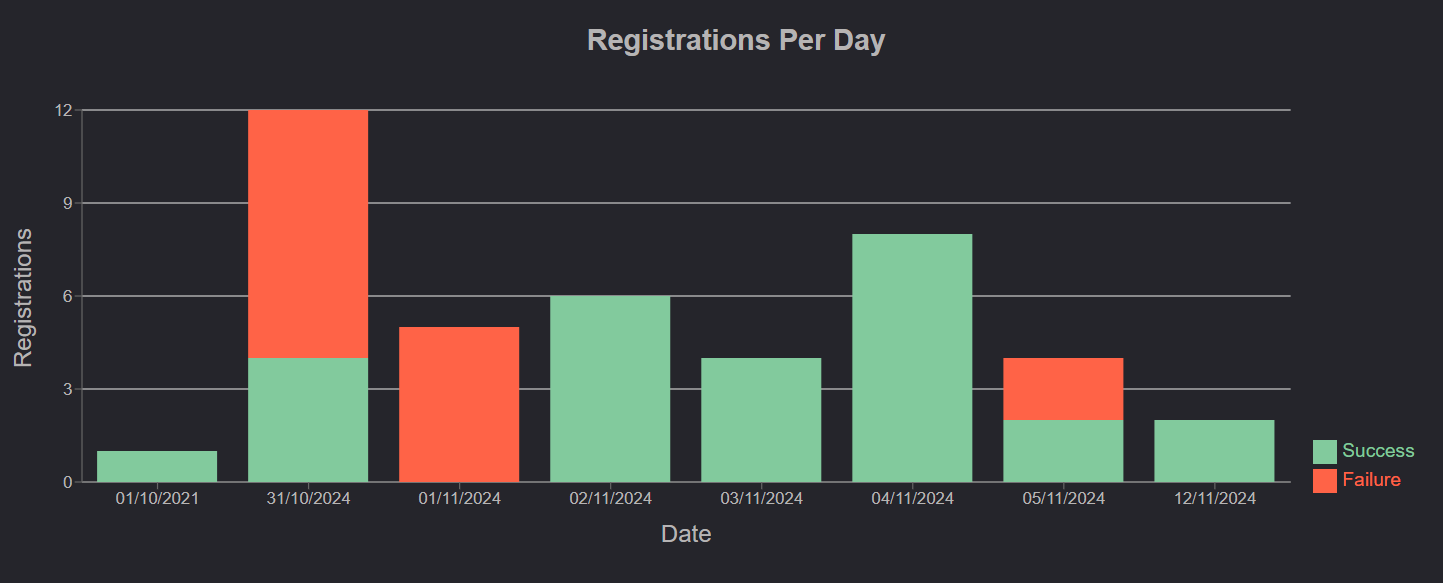
-
Login Metrics: Shows the metrics of the logins with and without provider, the average time of login and the amount of successful and failed logins.
- Block Metrics: Shows the metrics of the blocks users.
- Location Metrics: Shows the distribution of the users by location.
- Content Metrics: Shows the metrics of the twits and hashtags.
- Password Recovery Metrics: Shows the metrics of the average time of password recovery and the amount of successful and failed password recovery.